
Key Takeaways
- 01A work order is an internal document that authorizes and tracks a specific job: what work will be done, where, by whom, with what materials, and by when
- 02It sits between the approved estimate and the invoice — the estimate wins the job, the work order runs it, and the invoice bills it
- 03A work order is not a purchase order: the customer-facing purchase order requests goods or services from a vendor, while the work order dispatches your own crew
- 04Good work orders carry a unique number, scope description, labor and materials, scheduling details, and sign-off — which makes invoicing faster and disputes rarer
- 05Even a one-person shop benefits: a written work order per job is the difference between a searchable job history and a pile of texts and sticky notes
A work order is the document that tells your team exactly what job to do: the customer, the location, the scope of work, the materials and labor involved, who's assigned, and when it's due. The estimate wins the job and the invoice collects the money — the work order is what runs everything in between.
If you've ever sent a tech to the wrong address, had a crew show up without the right part, or argued with a customer about what was actually agreed, you've felt what a missing work order costs. This guide covers what goes on a work order, how it differs from the estimate, invoice, and purchase order, and how to build a simple work order process that fits a small service business.
What Is a Work Order?
A work order (sometimes called a job order or service order) is a written authorization to perform a specific piece of work. It's created after the customer approves the job and before anyone picks up a tool. In a larger company, a service manager or dispatcher creates it and assigns it to a technician; in a one-person shop, you create it for yourself — and it still earns its keep as the single place where the job's details live.
The work order answers six questions:
Most work orders also carry a unique work order number. That number is what connects the job to its estimate, its invoice, and any follow-up visit — and it's what you'll search for six months later when the customer calls about a warranty issue.
Work Order vs. Estimate vs. Invoice vs. Purchase Order
These four documents get mixed up constantly because they all describe the same job at different stages. The simplest way to keep them straight is to ask: who is it for, and when does it exist?
Work Order vs. Related Documents
| Document | Created When | Who It's For | What It Does |
|---|---|---|---|
| Estimate | Before the job is approved | The customer | Proposes scope and price; the customer approves or negotiates |
| Work order | After approval, before work starts | Your team (internal) | Authorizes the job and tracks its execution |
| Purchase order | When you buy from a supplier | Your vendor | Orders the parts or materials the job needs |
| Invoice | After the work is done | The customer | Bills for the completed work and requests payment |
A few distinctions worth spelling out:
- Work order vs. estimate. The estimate is a proposal — the customer can say no. The work order exists only after a yes, and it should inherit its scope and pricing from the approved estimate so nothing gets re-negotiated by accident.
- Work order vs. invoice. The work order looks forward (work to be done); the invoice looks backward (work completed, now payable). When the job wraps, the completed work order — actual hours, parts used, customer sign-off — is exactly what the invoice should be built from. Software that can convert an estimate to an invoice collapses this paper trail into a few taps.
- Work order vs. purchase order. A purchase order goes out to a vendor to buy goods — say, the condenser fan motor the job needs. The work order stays inside your business to get the labor done. On bigger commercial jobs you may also receive a work order from a property manager or general contractor; functionally, that incoming document works like a purchase order for your services.
Where the Work Order Fits in the Job Workflow
For a typical service job, the paperwork flows like this:
Customer requests work
A call, a form fill, or a text: "my AC is blowing warm air." Capture the contact details, address, and problem description — this is the raw material for everything that follows.
You send an estimate
Diagnose (by phone, photos, or a site visit) and send a written quote with scope, price, and terms. An estimate maker keeps this fast and consistent.
Approval turns it into a work order
The customer approves — ideally with an e-signature rather than a verbal okay. Now create the work order: assign the tech, schedule the window, list the parts, and copy over the approved scope and price.
The work gets done and documented
The tech works from the order, notes actual hours and materials, photographs the finished work, and gets the customer's sign-off on completion — on the work order itself.
The work order becomes the invoice
Build the invoice from the completed order — same scope language, same work order number in the reference field — and send it the same day. Jobs invoiced immediately get paid noticeably faster than jobs invoiced "when I get to the office."
The single biggest payoff of a clean work order process is speed at the end: when the completed order already lists labor, materials, and sign-off, there is nothing left to reconstruct at invoicing time. With invoicing software the finished job becomes a professional invoice before you leave the driveway.
Common Types of Work Orders
Not every job arrives the same way. Most service businesses see five patterns:
- Service / repair orders — the classic reactive job: something is broken, a customer wants it fixed. Most residential trade work falls here.
- Preventive maintenance orders — scheduled, recurring work like a fall furnace tune-up, quarterly pest treatment, or monthly pool service. These are generated on a calendar, not by a phone call, and they're the backbone of predictable revenue.
- Emergency orders — burst pipe at 2 a.m. They skip the estimate stage; document scope and rates on the work order itself and get sign-off before starting, since emergency rates are a common source of billing disputes.
- Inspection orders — the deliverable is an assessment (a roof inspection, a sewer camera run), often leading to a follow-up repair order.
- Warranty / callback orders — fixing something you (or the manufacturer) already sold. The work order number from the original job is what proves what was done and when.
Worked Example: An HVAC Service Call
Say a customer approves your $485 quote to replace a condenser fan motor. The work order might read:
Customer: Elena Martinez, (555) 014-2267 — 412 Birch Lane. Side gate code 4411; friendly dog in yard. Scheduled: Tue Oct 20, 9:00–11:00 a.m. — Assigned: Marcus. Scope: Replace condenser fan motor on backyard AC unit (Goodman, ~2015). Verify capacitor while unit is open. Test cooling cycle before leaving. Materials: 1/4 HP condenser fan motor (on truck), fan blade if seized (PO #118 to supplier if needed). Price: $485 flat per approved Estimate #2041. Capacitor replacement, if needed: +$120, call customer for approval first. Completion: Customer signature + photo of running unit.
Notice what this prevents: Marcus doesn't call the office for the gate code, doesn't guess whether the capacitor is in scope, and doesn't start a $120 add-on without approval. And when Elena's unit needs service in two years, work order #2047 tells you exactly what motor went in. For anything that grows beyond the pre-approved add-on, write it up as a change order rather than burying it in the final bill.
How to Set Up a Simple Work Order Process
You don't need enterprise software to do this well. You need consistency:
- Use one template. Same fields on every job: number, customer, scope, schedule, materials, price, sign-off. A one-page form is enough — what matters is that every job uses the same one.
- Number everything sequentially. The number ties the estimate, work order, purchase order, and invoice into one searchable thread per job.
- Keep customer history in one place. Work orders are only useful if you can find them — a client management system that stores every customer's estimates, jobs, and invoices together beats a filing cabinet and three notebooks.
- Require completion notes and sign-off. "Done" isn't data. Actual hours, parts used, photos, and a signature are what protect you when memory and the customer's memory disagree.
- Invoice from the completed order the same day. The details are freshest, and so is the customer's goodwill.
"Just swing by Mrs. Lee's and look at the water heater" is how jobs get done twice, billed never, and disputed later. If work is worth dispatching, it's worth thirty seconds of writing down. This applies double to emergency and after-hours work, where rates are higher and tempers shorter.
Run Every Job From Estimate to Invoice in One App
InvoiceOwl keeps each job's estimate, approval, and invoice connected — so nothing gets lost between the customer's yes and getting paid.
Start Your FREE TrialFrequently Asked Questions
By itself, usually not — it's an internal job-management document. The binding agreement is formed when the customer accepts your written estimate or signs a service agreement. That said, a work order with the customer's signature approving scope and price can serve as strong evidence of what was agreed, much like a signed estimate. For significant jobs, use a proper written contract.
Timing and direction. The work order is created before the work and tells your team what to do; the invoice is created after the work and tells the customer what to pay. A completed work order should contain everything the invoice needs — scope, hours, materials, and the agreed price.
Whoever manages the schedule. In a company with staff, that's typically a service manager or dispatcher after the customer approves the estimate. In a solo operation, you create it yourself. On commercial jobs, a property manager or general contractor may issue you a work order — treat it like an incoming purchase order and confirm scope and rates in writing before starting.
Yes, and arguably more than a big company does — there's no office staff to catch what you forget. A consistent one-page work order per job gives you a searchable history for warranties and repeat customers, cleaner invoices, and proof of what was agreed. The habit costs a few minutes per job.
It's the unique sequential ID on each work order. It links the job's paperwork together — estimate to work order to invoice — so you can trace any job in seconds. Put it on the invoice as a reference; commercial clients often require it before they'll pay.
Stop and get the change approved before doing the extra work. Document the added scope and price as a change order (or an updated, re-approved estimate), then update the work order. Surprise line items on the final invoice are the fastest way to turn a good customer into a dispute.
Conclusion
A work order is simple: a written, numbered record of what each job is, who's doing it, and what was agreed. The payoff isn't bureaucratic tidiness — it's crews that show up prepared, invoices that go out the same day, and a job history you can actually search when a customer calls back.
Start with one template, number every job, and build each invoice from the completed order. InvoiceOwl's estimating software handles the bookends — professional estimates in, same-day invoices out — so the whole thread from "can you take a look?" to "paid" lives in one place.
Related Resources
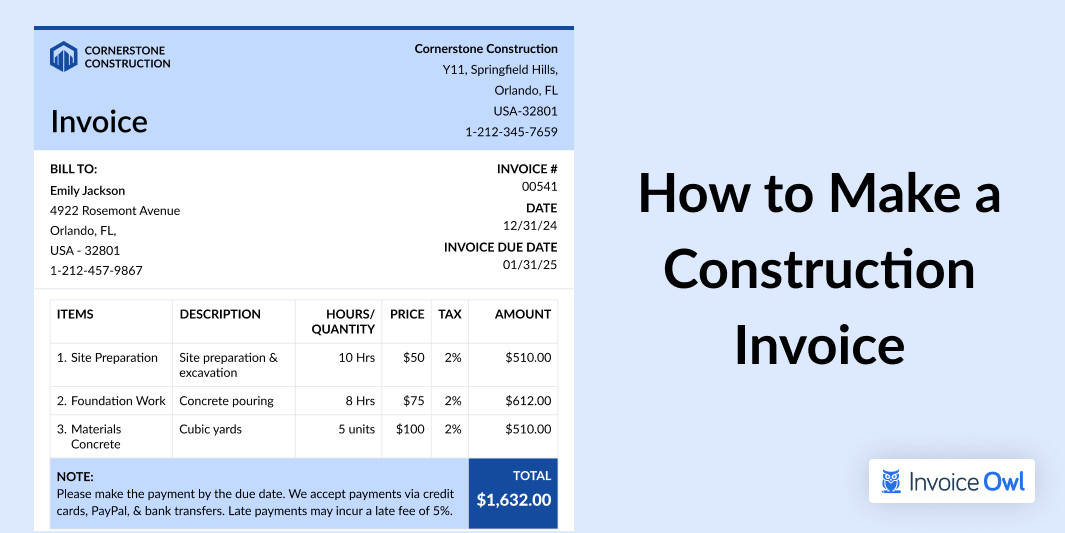
How to Make a Construction Invoice: Guide + Template
Learn how to make a construction invoice with this easy guide. Discover tips, free templates, and key details to create professional invoices for your business.
Read moreWhat Is a Lien Waiver? Types, Risks, and When to Sign One
A lien waiver is a receipt for your lien rights: you give up the right to file a mechanic's lien in exchange for payment. Learn the four types and the one rule that protects your money.
Read more
Best Invoicing Software for Small Businesses (2026)
Compare the top invoicing software solutions for small businesses and contractors. Find detailed reviews, pricing, features, and user feedback to choose the right tool for your needs.
Read moreBest Invoicing Software for Small Businesses and Contractors
Pick the best invoicing software for your contracting business by comparing the best 11 invoicing software curated referring the user reviews on various platform.
Read moreCarpenter Estimate
Explore how InvoiceOwl helps carpenter contractors win jobs, get paid faster, and save time with instant estimates and professional invoices on web and mobile.
Read moreConstruction Estimate
Create an estimate & invoices in minutes with the construction estimate & invoicing software for commercial, and residential construction companies.
Read moreElectrical Estimate
Complete electrical estimates and invoicing in minutes with our easy-to-use software for electrical contractors. Start your free 14-day trial today.
Read moreFlooring Estimate
Explore how InvoiceOwl helps flooring contractors win jobs, get paid faster, and save time with instant estimates and professional invoices on web and mobile.
Read moreHow to Make a Construction Invoice: Guide + Template
Learn how to make a construction invoice with this easy guide. Discover tips, free templates, and key details to create professional invoices for your business.
Read moreWhat Is a Lien Waiver? Types, Risks, and When to Sign One
A lien waiver is a receipt for your lien rights: you give up the right to file a mechanic's lien in exchange for payment. Learn the four types and the one rule that protects your money.
Read moreBest Invoicing Software for Small Businesses (2026)
Compare the top invoicing software solutions for small businesses and contractors. Find detailed reviews, pricing, features, and user feedback to choose the right tool for your needs.
Read moreBest Invoicing Software for Small Businesses and Contractors
Pick the best invoicing software for your contracting business by comparing the best 11 invoicing software curated referring the user reviews on various platform.
Read moreCarpenter Estimate
Explore how InvoiceOwl helps carpenter contractors win jobs, get paid faster, and save time with instant estimates and professional invoices on web and mobile.
Read moreConstruction Estimate
Create an estimate & invoices in minutes with the construction estimate & invoicing software for commercial, and residential construction companies.
Read moreElectrical Estimate
Complete electrical estimates and invoicing in minutes with our easy-to-use software for electrical contractors. Start your free 14-day trial today.
Read moreFlooring Estimate
Explore how InvoiceOwl helps flooring contractors win jobs, get paid faster, and save time with instant estimates and professional invoices on web and mobile.
Read moreHow to Make a Construction Invoice: Guide + Template
Learn how to make a construction invoice with this easy guide. Discover tips, free templates, and key details to create professional invoices for your business.
Read moreWhat Is a Lien Waiver? Types, Risks, and When to Sign One
A lien waiver is a receipt for your lien rights: you give up the right to file a mechanic's lien in exchange for payment. Learn the four types and the one rule that protects your money.
Read moreBest Invoicing Software for Small Businesses (2026)
Compare the top invoicing software solutions for small businesses and contractors. Find detailed reviews, pricing, features, and user feedback to choose the right tool for your needs.
Read moreBest Invoicing Software for Small Businesses and Contractors
Pick the best invoicing software for your contracting business by comparing the best 11 invoicing software curated referring the user reviews on various platform.
Read moreCarpenter Estimate
Explore how InvoiceOwl helps carpenter contractors win jobs, get paid faster, and save time with instant estimates and professional invoices on web and mobile.
Read moreConstruction Estimate
Create an estimate & invoices in minutes with the construction estimate & invoicing software for commercial, and residential construction companies.
Read moreElectrical Estimate
Complete electrical estimates and invoicing in minutes with our easy-to-use software for electrical contractors. Start your free 14-day trial today.
Read moreFlooring Estimate
Explore how InvoiceOwl helps flooring contractors win jobs, get paid faster, and save time with instant estimates and professional invoices on web and mobile.
Read more